Support Center

Help for ScanTo Pro

The private, 100% offline PDF scanner — with on-device OCR search, automatic categories, Face ID lock and encrypted PDF export. 私密、100% 離線的 PDF 掃描器 — 裝置端 OCR 搜尋、自動分類、Face ID 鎖、加密 PDF。
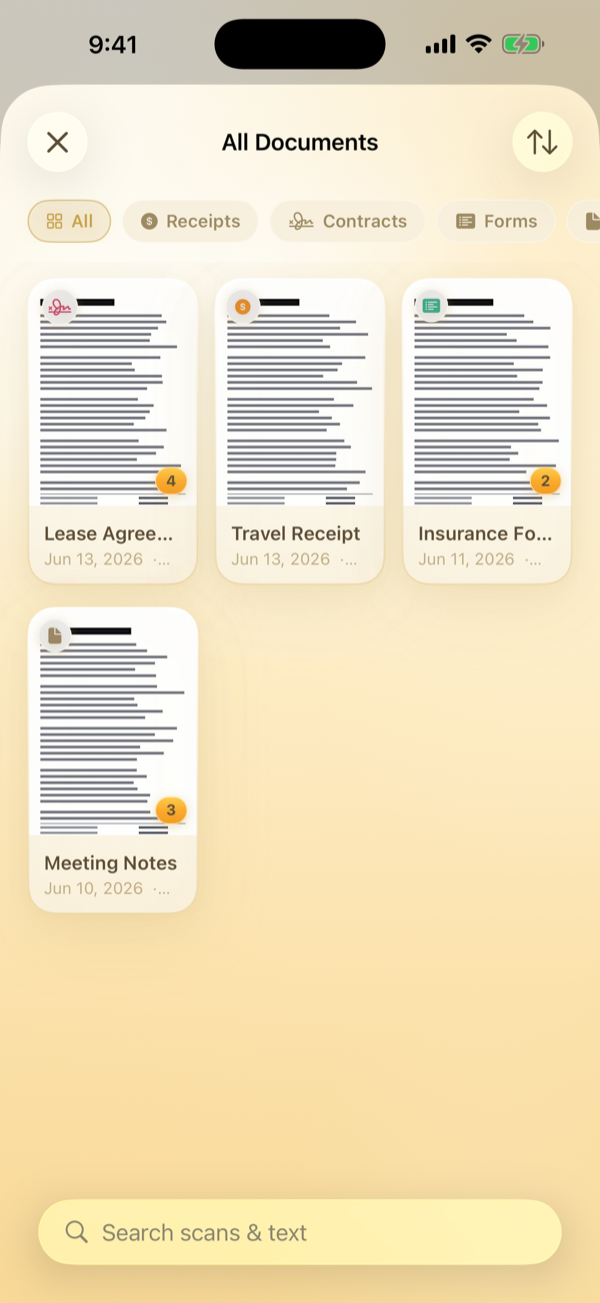
Auto-categorized documents
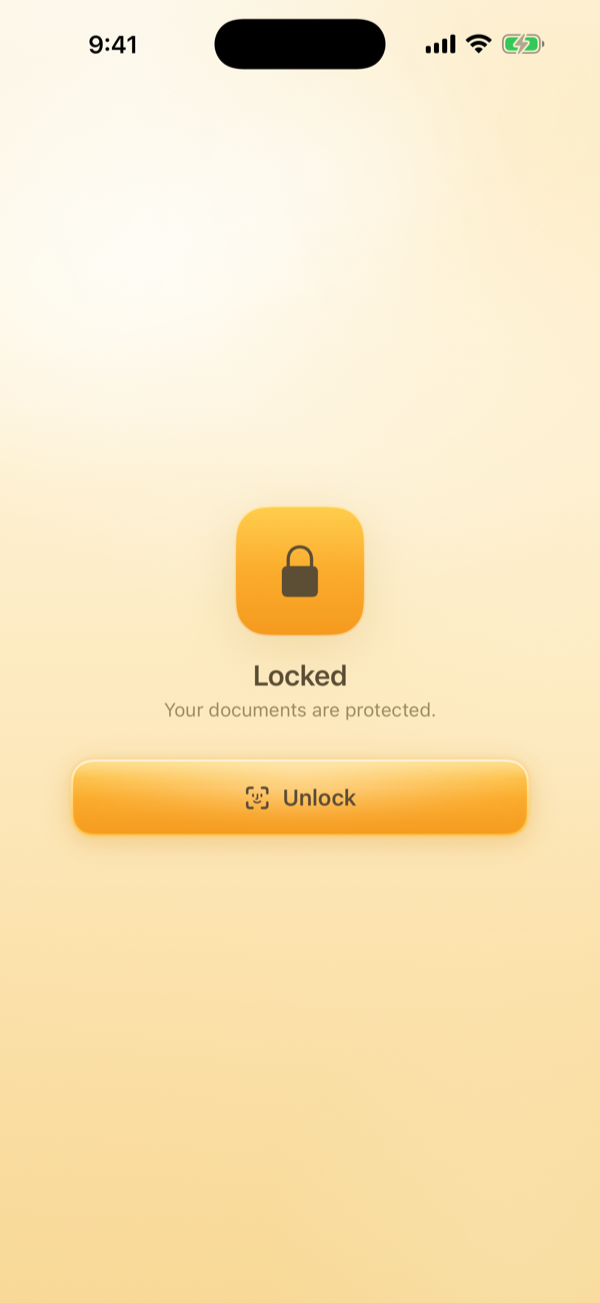
Face ID lock
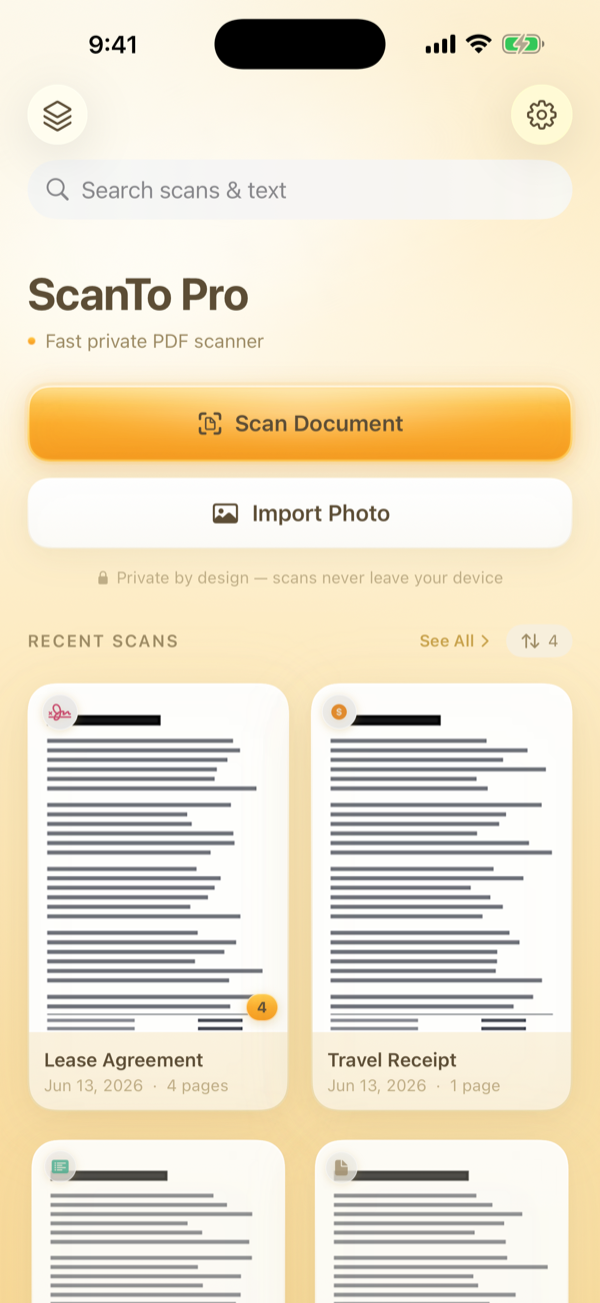
ScanTo Pro home
🔒
100% OfflineNo cloud, no network. 完全離線。
🙅
No AccountNo sign-up ever. 免帳號。
💛
Pay OnceNo subscription. 一次買斷。
🛡️
EncryptedFace ID + PDF passwords. 加密保護。

What it does

Everything stays on your device

A beautiful scanner that turns paper into crisp PDFs — and reads the text inside them — without ever going online.

📄

Scan to crisp PDF

Automatic edge detection, perspective correction, and five looks (Color, Grayscale, B&W, Document).自動邊緣偵測、透視校正、五種濾鏡。

🔎

Search inside documents

On-device OCR reads every scan so you can search the words inside — not just file names.裝置端 OCR,搜尋文件「裡面的字」。

🗂️

Automatic categories

Scans are auto-sorted into Receipts, IDs, Cards, Contracts and more — completely offline.自動分類成收據、證件、名片、合約。

🔐

Face ID lock

Lock the whole app behind Face ID or your passcode, so only you can open it.用 Face ID 或密碼把 App 鎖起來。

🛡️

Encrypted PDF

Export password-protected PDFs to share sensitive documents safely.匯出密碼保護的加密 PDF。

🖨️

Print-ready export

Export sized to image, A4 or US Letter. Save to Files, Mail, AirDrop or Messages.A4/Letter 匯出、存到檔案、分享。

Why ScanTo Pro

One price. Yours forever.

Most scanners rent you your own documents through a subscription. ScanTo Pro doesn't.

Subscription scanners

$20–60 / year

  • 🔁 Pay again every year, forever
  • ☁️ Documents synced to their cloud
  • 👤 Account & login required
  • 📈 Analytics & ads
  • 🔓 Key features behind a paywall
ScanTo Pro

One-time purchase

  • 💛 Pay once — every feature, forever
  • 🔒 100% on-device, works in Airplane Mode
  • 🙅 No account, no sign-up
  • 🚫 Zero analytics, zero ads, zero SDKs
  • 🛡️ Face ID lock & encrypted PDF included

Answers

Frequently asked questions

Can't find what you need? Email us — we reply to every message.

How do I scan a document?
Tap Scan Document on the home screen, line up your page, then capture. Adjust the crop corners and tap Use Crop to get a clean PDF page. You can also Import Photo from your library.點首頁「掃描文件」,對準頁面拍照,拖曳四角微調裁切後「使用此裁切」即可;也可「匯入照片」。
Is it really 100% offline?
Yes. ScanTo Pro makes zero network requests. Everything — scanning, OCR text recognition, search, PDF export — runs on your device. It works exactly the same in Airplane Mode.是。本 App 不發出任何網路請求,掃描、OCR、搜尋、匯出全在裝置上;開飛航模式也一樣。
Where are my documents stored?
Privately on your device, inside the app's own storage. They are never uploaded to any server and we never see them. Use Save to Files or Save to Photos if you want a copy elsewhere.只存在你裝置上 App 的私人空間,永不上傳;想另存可用「存到檔案/照片」。
How does searching the text work?
After each scan, on-device OCR reads the text automatically. Just type a word in the search bar and ScanTo Pro finds every document that contains it. Tap View Text to read or copy the recognized text.每次掃描後 OCR 自動辨識文字,搜尋列輸入關鍵字即可找到內含它的文件;「檢視文字」可閱讀/複製。
How do I turn on the Face ID lock?
Open Settings → App Lock and turn it on. The app will then require Face ID or your device passcode each time it opens.到「設定 → App 鎖定」開啟,之後每次開啟 App 都需要 Face ID 或裝置密碼。
How do I export an encrypted (password) PDF?
Open a document, tap the ••• menu and choose Export Encrypted PDF. Set a password — it will be required to open the file. Keep it safe; it cannot be recovered.開啟文件 → 「•••」→「加密匯出 PDF」,設定密碼(無法復原,請保管好)。
Is this a subscription?
No. ScanTo Pro is a one-time purchase. Every feature is included forever — no subscription, no ads, no in-app purchases.不是。一次買斷,所有功能永久包含,無訂閱、無廣告、無內購。
I changed phones / restore my purchase
Reinstall ScanTo Pro from the App Store while signed in with the same Apple ID, then tap Restore Purchases if prompted. Your purchase is tied to your Apple ID. Documents are stored on-device, so back up via iCloud or export to Files before switching phones.用同一 Apple ID 重新下載即可;文件存在裝置上,換機前請先用 iCloud 備份或匯出到檔案。
Which languages are supported?
English, 繁體中文, 日本語 and 한국어 — auto-detected from your device, or switch any time in Settings. OCR recognizes text in all four.支援英/繁中/日/韓,自動偵測或在設定手動切換;OCR 四語皆可辨識。

We're here to help

Contact support

Questions, feedback, or a bug to report? Email us directly — every message gets a real reply, usually within 1–2 business days.
有問題、建議或想回報 bug?直接寄信給我們,每封都會親自回覆。

✉️ hourstag.app@gmail.com